Klaviyo Integration
•
Paste into HTML Block
Klaviyo Countdown Timer
Add a real-time countdown timer to Klaviyo emails by pasting a small HTML snippet. Create your timer, copy the embed code, paste it into a Klaviyo HTML Block, and you're done.
Create Countdown Timer
Free plan available • No credit card required
Works with campaigns & flows
Real-time updates
Paste HTML
Email preview
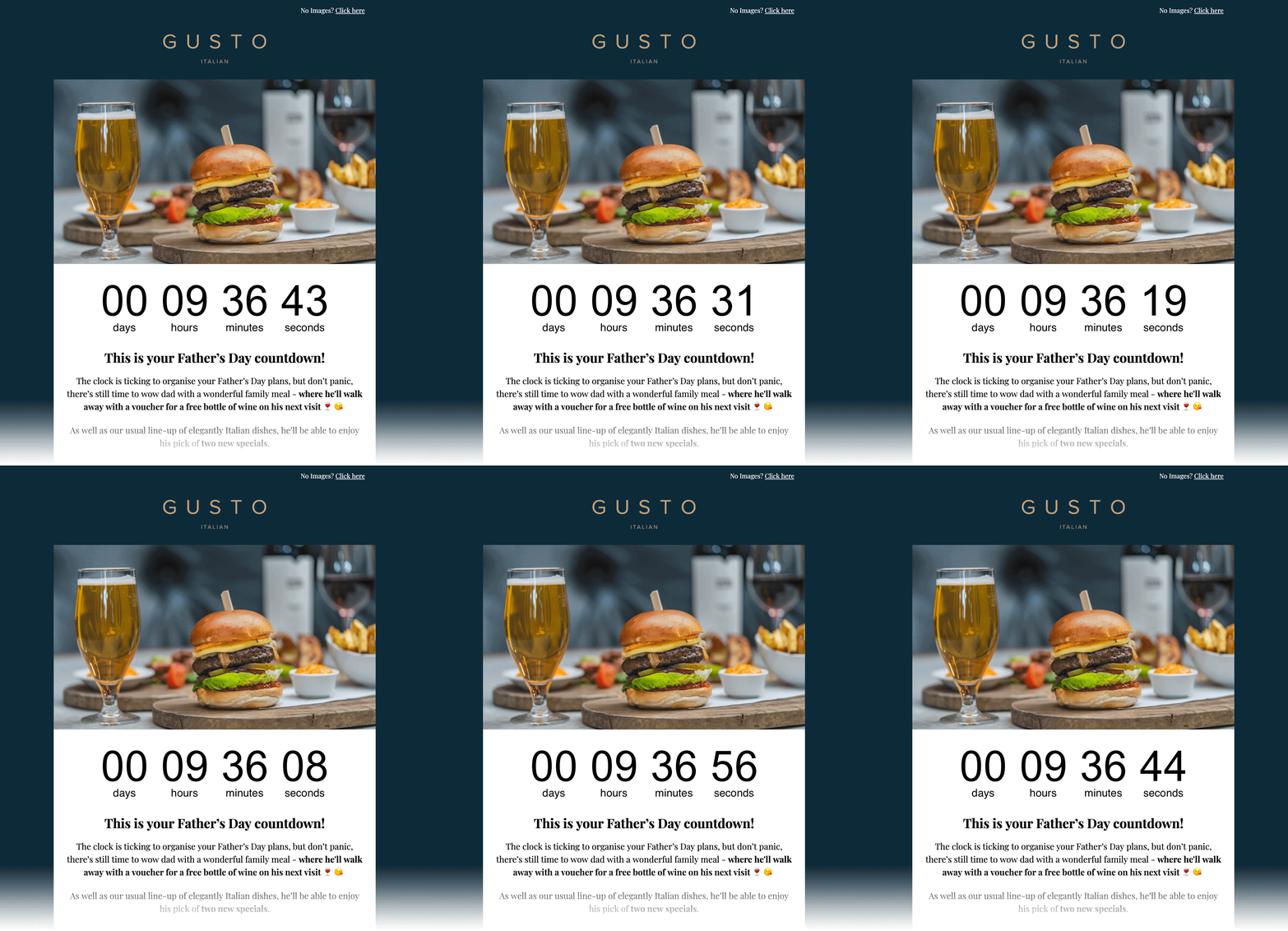
Embed HTML
Copy → paste into HTML Block
<!-- Email Countdown Timer -->
<div style="text-align:center;">
  <img src="https://emailcountdowntimer.com/i/{hash}" alt="Countdown timer" />
</div>
Step-by-step: add a countdown timer to Klaviyo
Follow these steps to embed your timer using a HTML Block.
Step 1
Create your timer
Build a countdown timer in minutes using Email Countdown Timer.
Step 2
Copy the HTML code
Click "Get code" and copy the HTML embed snippet.
Step 3
Open Klaviyo
Go to your Klaviyo campaign or flow email.
Step 4
Add an HTML Block
Drag an HTML Block into your email where you want the timer to appear.
Step 5
Paste the HTML
Paste the embed code and save your content.
Step 6
Preview & send
Send a test email to confirm the timer updates in real time.
Don’t add the timer as an Image URL in Klaviyo.
Image URL inserts can be cached/downloaded by Klaviyo, which can stop real-time updates. Paste the embed code into a Klaviyo HTML Block instead.
Tips for better results
Small changes that can improve clicks and conversions.
Make it visible
Place the timer near your main offer and CTA to reinforce urgency.
Match your brand
Use colors and fonts that look native inside your email template.
Keep it real
Real-time timers keep the countdown accurate right up to the deadline.
Create Countdown Timer
Free plan available • Works with Klaviyo campaigns and flows
Getting ready for Black Friday?
Black Friday is on November 27 and Cyber Monday on November 30. See how to add a countdown to your campaigns and the email sequence we recommend.
FAQ
Quick answers about using countdown timers in Klaviyo.
Yes. Your countdown is delivered as an image (GIF), which is supported by all major email clients.
Yes. You can start with the free plan and upgrade later if you need more views or advanced features.
Yes. The timer image refreshes so the time remaining stays accurate up to the end date.
No. Klaviyo can cache/download external images when inserted as an Image URL, which can prevent real-time updates. Paste the embed code into a Klaviyo HTML Block instead.
Ready to add urgency to your Klaviyo emails?
Create your countdown timer now and paste the embed code into a Klaviyo HTML Block.
Create Countdown Timer
No credit card required