HubSpot 연동
•
Paste into Custom HTML Module
HubSpot 카운트다운 타이머
Add a real-time countdown timer to HubSpot emails by pasting a small HTML snippet. Create your timer, copy the embed code, paste it into a HubSpot Custom HTML Module, and you're done.
카운트다운 타이머 만들기
무료 플랜 제공 • 신용카드 불필요
Works with HubSpot marketing emails
실시간 업데이트
HTML 붙여넣기
이메일 미리보기
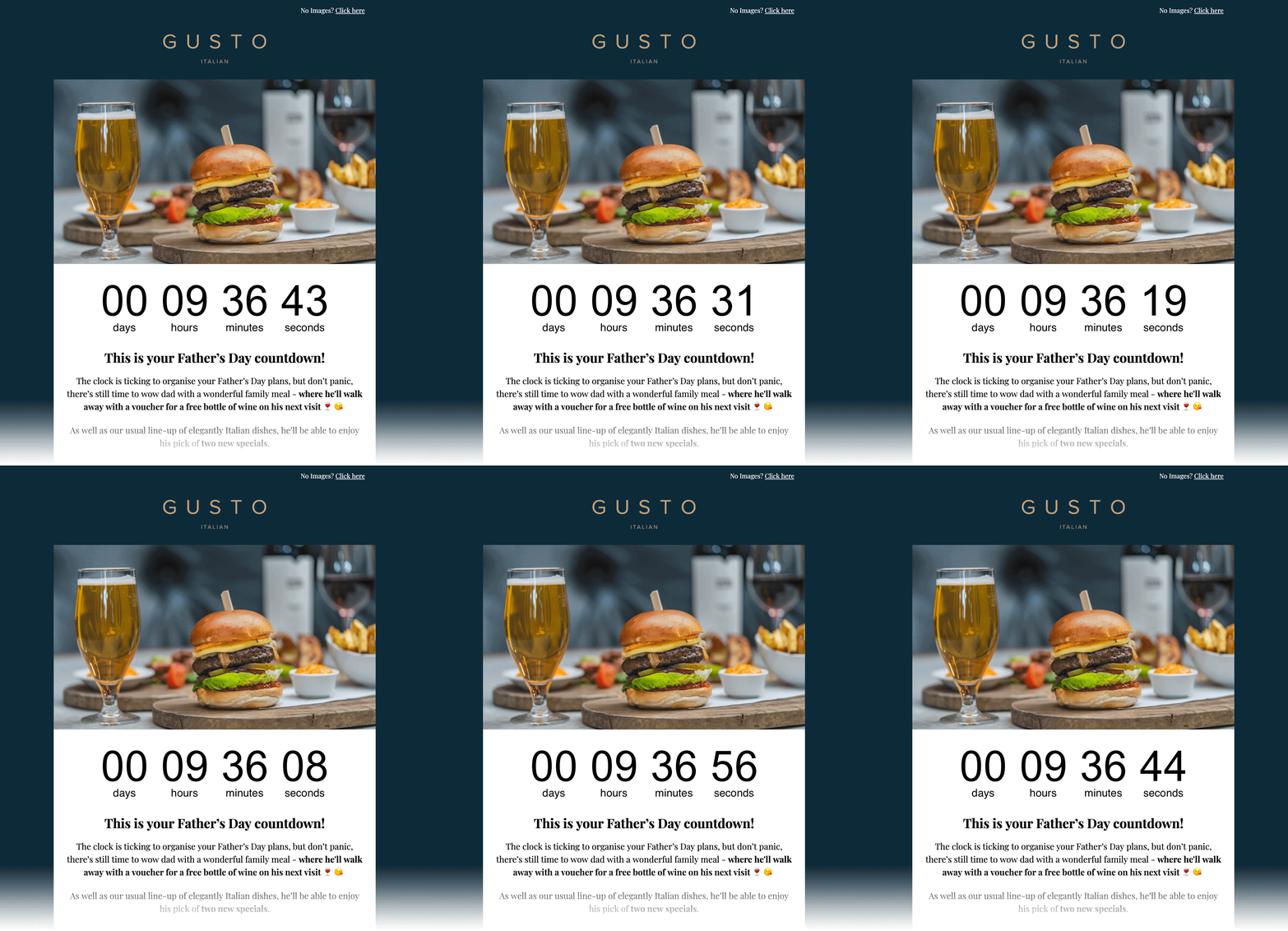
삽입 HTML
복사 → Custom HTML Module에 붙여넣기
<!-- Email Countdown Timer -->
<div style="text-align:center;">
  <img src="https://emailcountdowntimer.com/i/{hash}" alt="Countdown timer" />
</div>
단계별: HubSpot에 카운트다운 타이머 추가
Custom HTML Module을(를) 사용해 타이머를 삽입하는 단계입니다.
1단계
타이머 만들기
Email Countdown Timer로 몇 분 만에 카운트다운을 만드세요.
2단계
HTML 코드 복사
"코드 받기"를 클릭하고 HTML 삽입 스니펫을 복사하세요.
3단계
HubSpot 열기
In HubSpot, go to Marketing → Email and create or edit a drag-and-drop marketing email.
4단계
Add a Custom HTML Module
In the email editor, add a Custom HTML Module from the left sidebar and place it where you want the countdown.
5단계
HTML 붙여넣기
Paste the embed code into the module, then apply or save your changes.
6단계
Preview & publish
Preview the email, send a test, then schedule or publish when you are ready.
HubSpot에서 타이머를 이미지 URL로 추가하지 마세요.
이미지 URL로 삽입하면 HubSpot이(가) 외부 이미지를 캐시하거나 다운로드해 실시간 업데이트가 되지 않을 수 있습니다. Paste the embed code into a HubSpot Custom HTML Module instead.
더 좋은 결과를 위한 팁
클릭과 전환을 높이는 작은 변화입니다.
눈에 잘 띄게
메인 오퍼와 CTA 근처에 두어 긴급감을 강조하세요.
브랜드에 맞추기
이메일 템플릿과 자연스럽게 어울리는 색과 글꼴을 사용하세요.
실시간 유지
실시간 타이머는 마감까지 정확한 카운트다운을 유지합니다.
카운트다운 타이머 만들기
Free plan available • Works with HubSpot marketing emails
자주 묻는 질문
HubSpot에서 카운트다운 타이머를 쓸 때의 간단한 답변입니다.
네. 카운트다운은 이미지(GIF)로 전달되며 주요 이메일 클라이언트에서 지원됩니다.
네. 무료 플랜으로 시작했다가 조회수나 고급 기능이 필요하면 나중에 업그레이드할 수 있습니다.
네. 타이머 이미지가 갱신되어 종료일까지 남은 시간이 정확합니다.
No. HubSpot can cache/download external images when inserted as an Image URL, which can prevent real-time updates. Paste the embed code into a HubSpot Custom HTML Module instead.
HubSpot 이메일에 긴급감을 더할 준비가 되셨나요?
Create your countdown timer now and paste the embed code into a HubSpot Custom HTML Module.
카운트다운 타이머 만들기
신용카드 불필요